Time Guard
Time tracking for iPhone, iPad, Mac and Apple Watch
Clock in and out with one tap, or automatically when you arrive at work. Time Guard handles breaks, flextime and vacation for you and always shows when your day is done. No account, no ads, your data stays in your iCloud.
Your working hours, without the paperwork
Time Guard replaces time cards, spreadsheets and vacation calendars. Everything you need for your working hours, in one app.
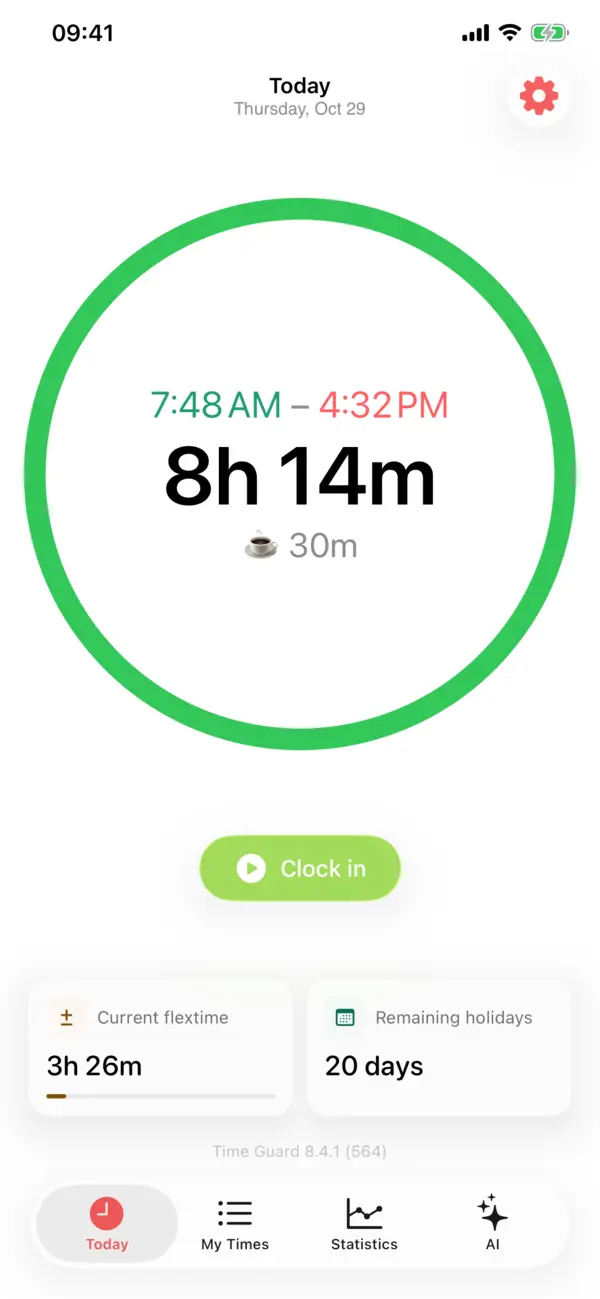
One tap to clock in
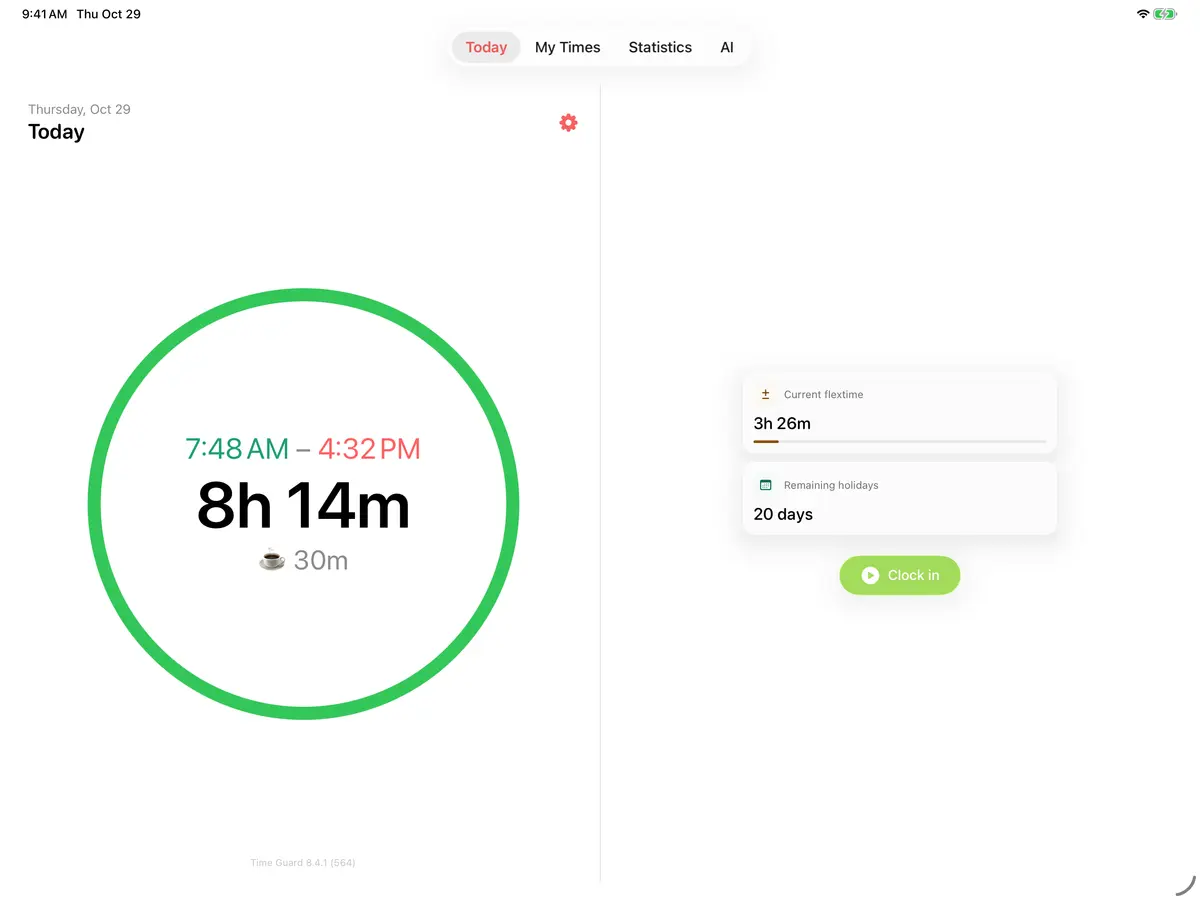
Clock in, take a break, clock out. The ring shows how far along your day is and when you can leave.
Automatic by location
Add an address or iBeacon and Time Guard clocks you in and out on its own.
Flextime balance
Plus and minus per day, week and month, calculated live. With flextime window and minimum paid hours.
Break rules
Fixed or variable breaks based on hours worked, per day even from your shift plan.
Vacation & absence
Vacation balance carried over into the new year, sick days, flex days, rest days and public holidays by state.
Statistics
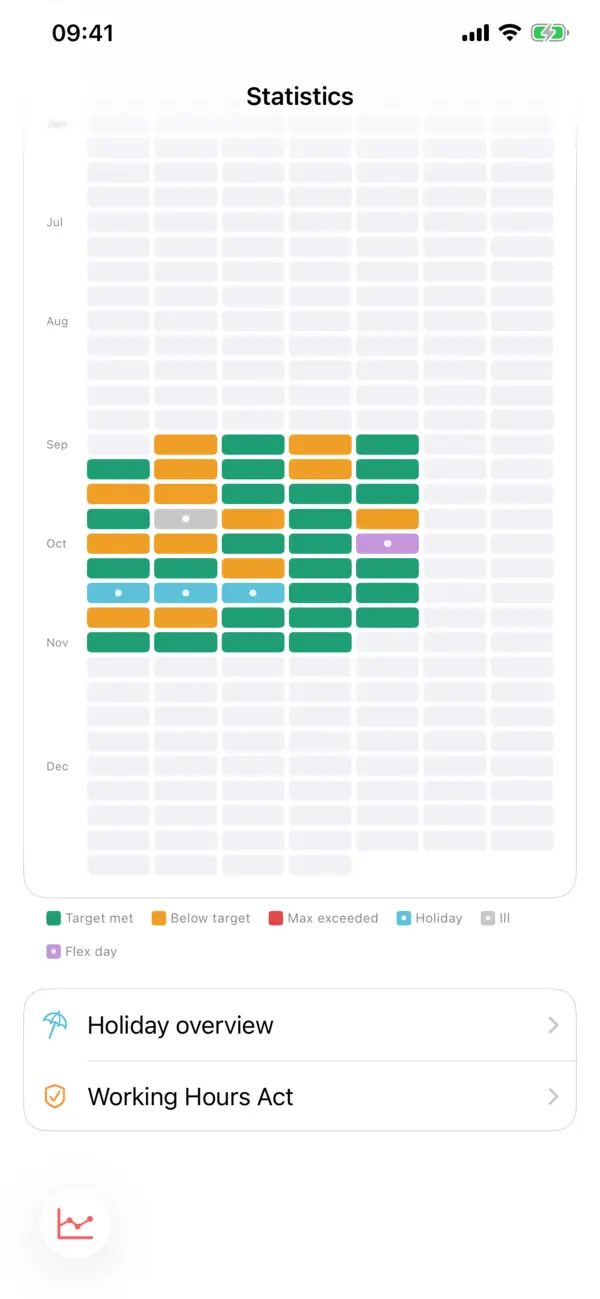
Daily hours, weekday averages, flextime history, monthly overview and heatmap.
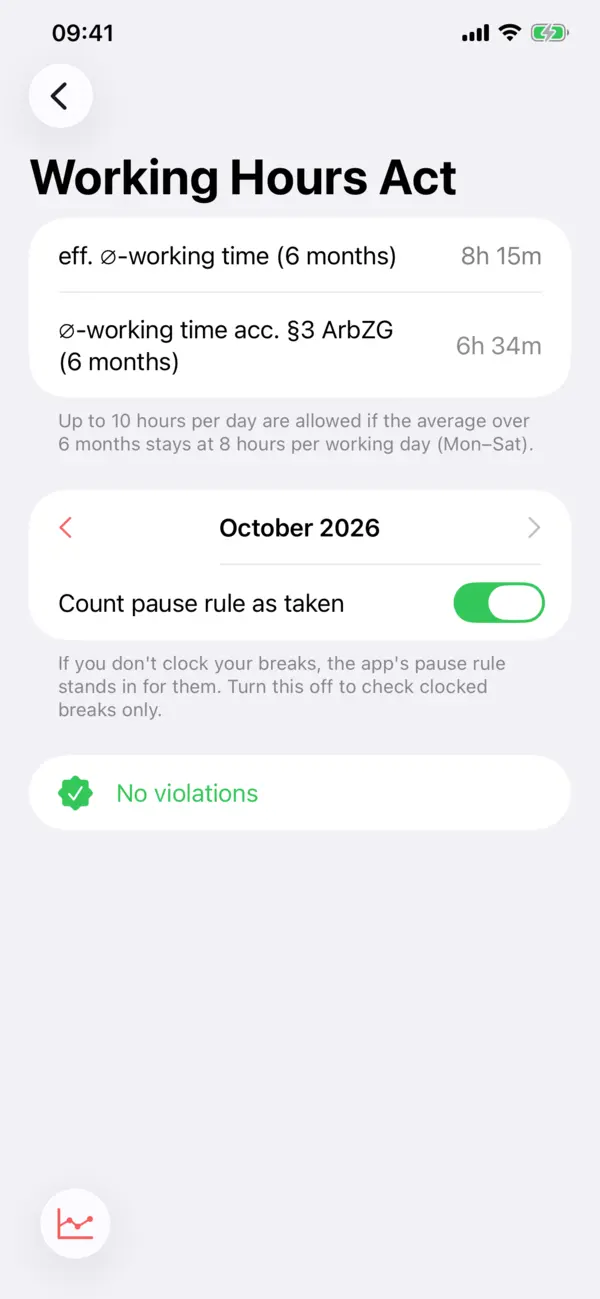
Working Hours Act
Checks maximum hours, breaks and rest periods under §§ 3–5 of the German ArbZG.
Timesheets & export
Timesheet as PDF, CSV export and import. Just take a photo of a paper timesheet.
AI insights
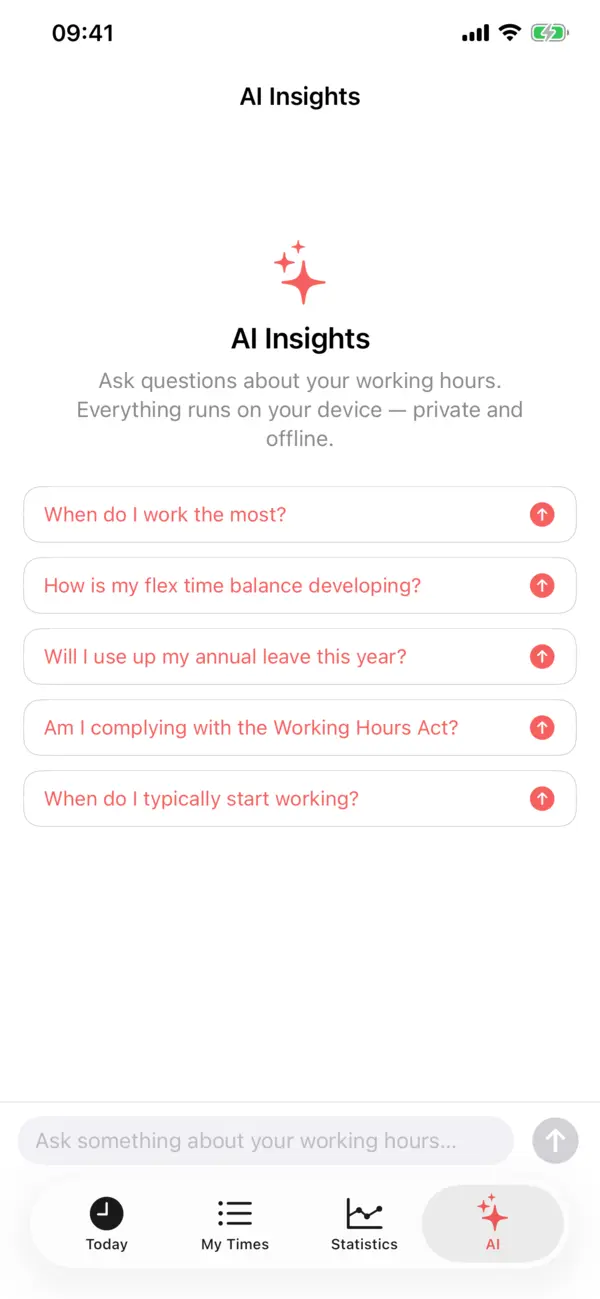
Ask questions about your working hours. Runs on device, private and offline.
When is my day done?
The home screen shows your day at a glance: hours worked, break, flextime balance and vacation left. The green ring fills up to your target, the inner ring shows overtime.
- Clock and breakStart and end a break with one tap, also from the Watch, the Live Activity or Control Center.
- End of day, predictedBased on your break rule and the break you have already taken.
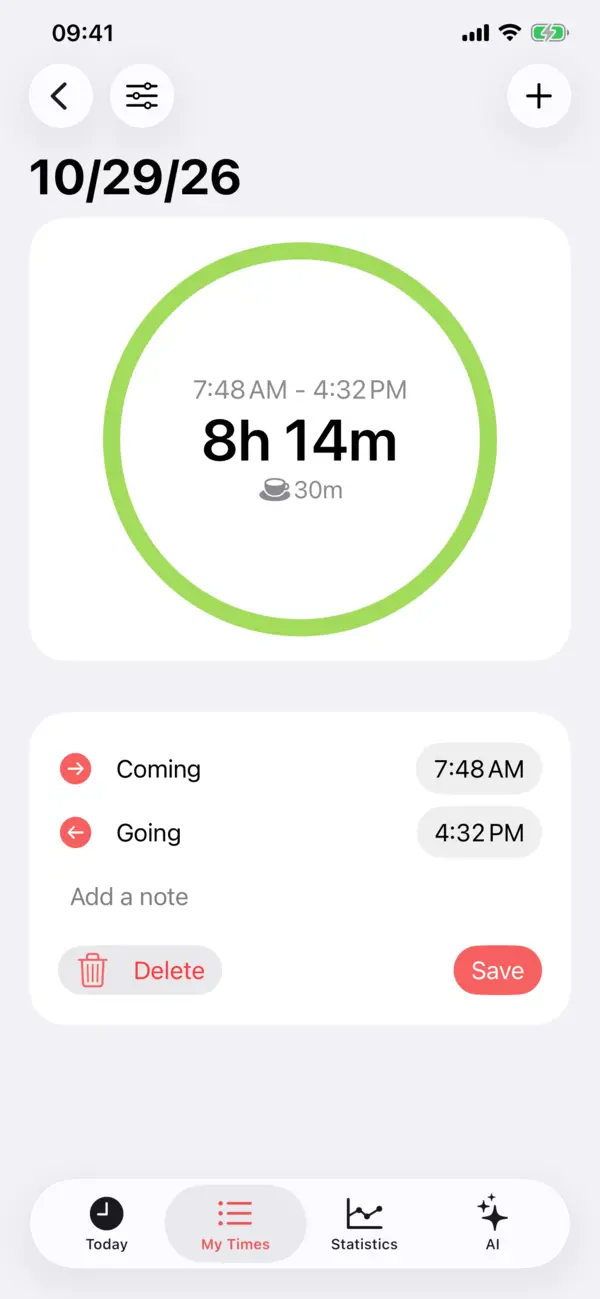
- Fix anythingForgotten times, several blocks per day and night shifts past midnight, edited right in the day view.
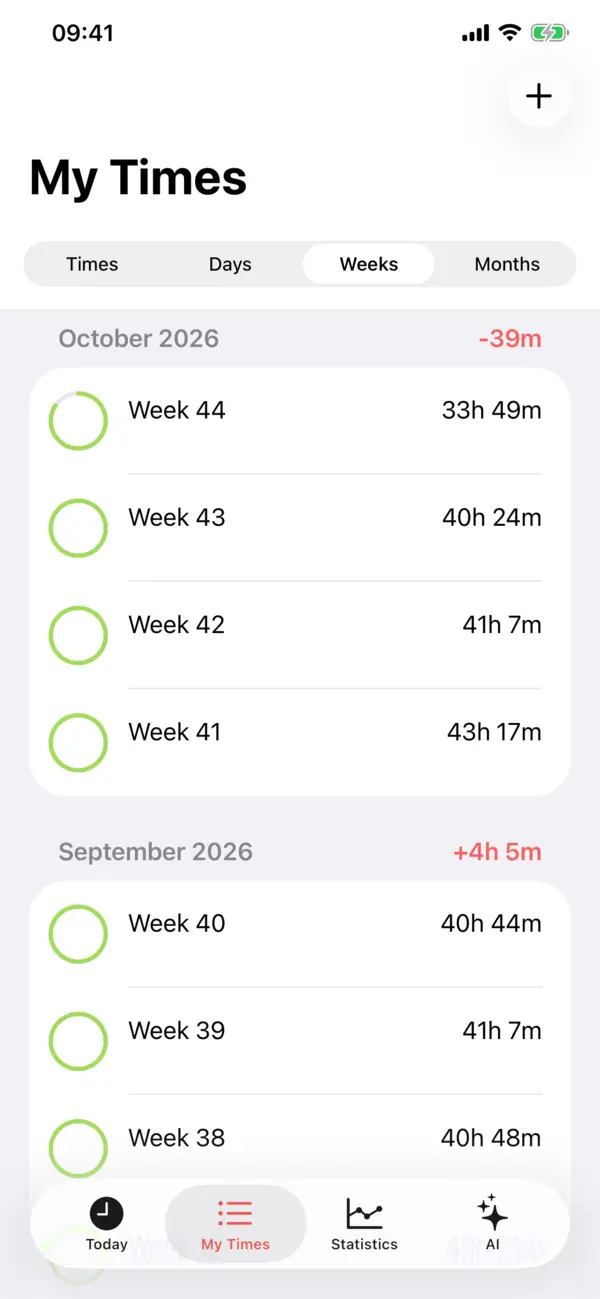
Days, weeks, months. And the balance.
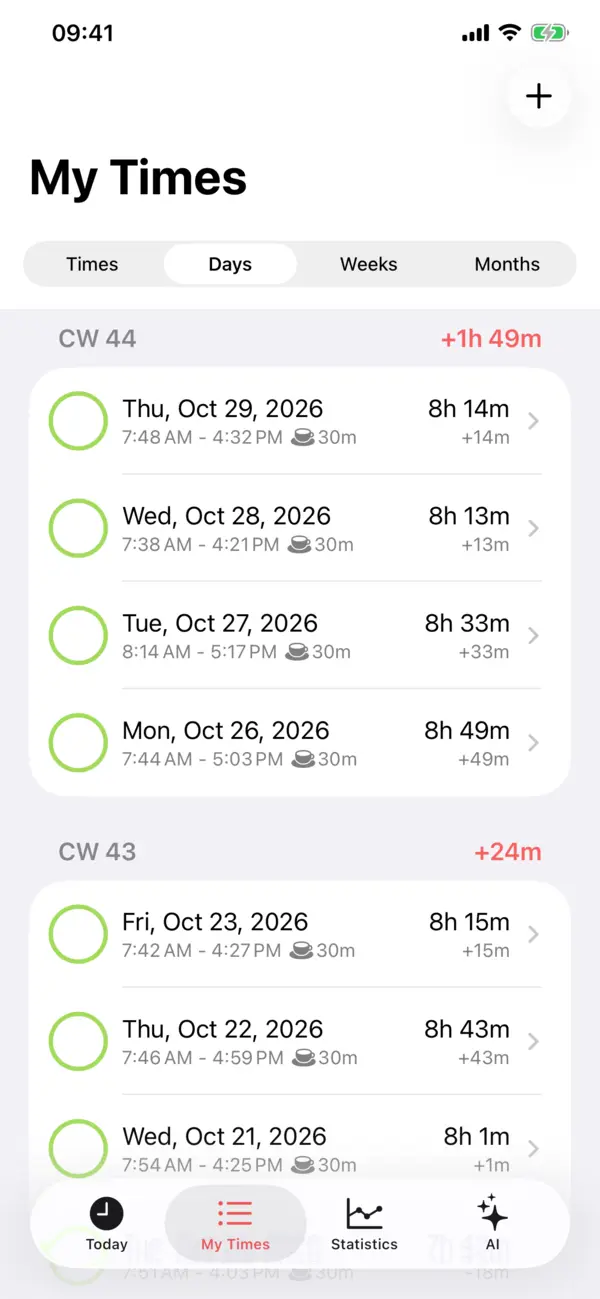
Every day with arrival, departure, break and balance, summed up per week and month. You see right away where the overtime comes from.
- Flextime you can trustPer-day break rules, flex days, minimum paid hours and flextime window all count correctly.
- Breaks the way your employer countsFixed in a time window, variable by hours worked, sliding or stepped, overridable per day.
- Every type of timeWorking time, travel time, block time, short-time work and every kind of absence.
- Working time
- Travel time
- Block time
- Short-time work
- Paid service time
- Vacation
- Sick
- Public holiday
- Flex day
- Rest day
- Special leave
- Unpaid leave
Spot patterns, not just hours
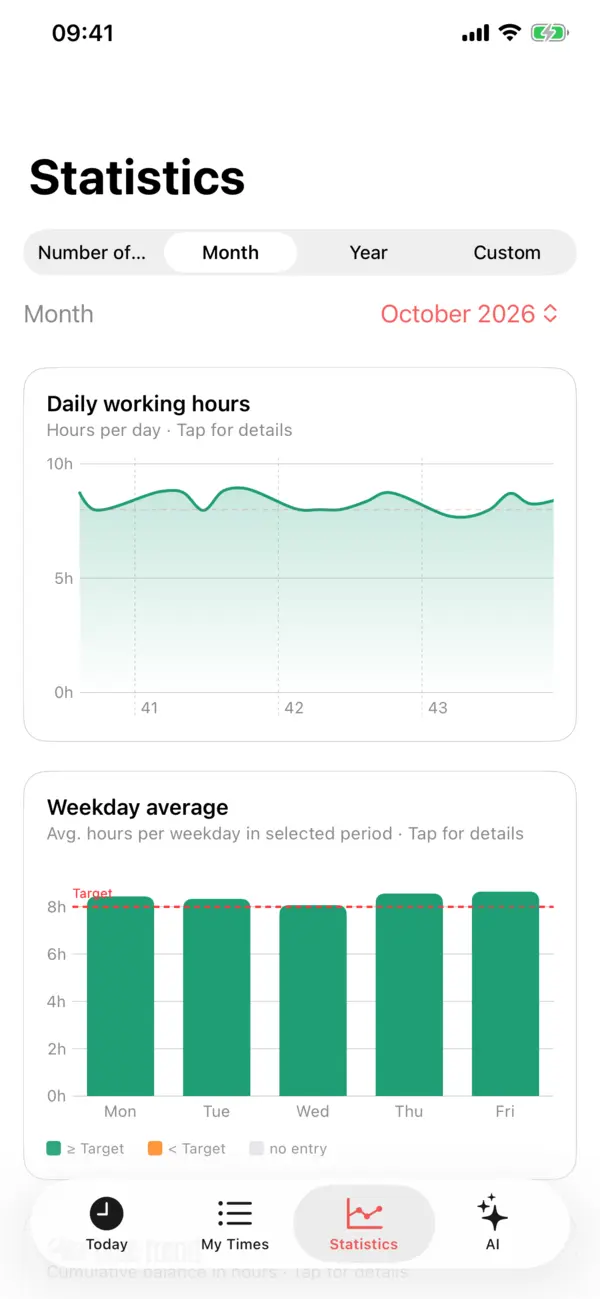
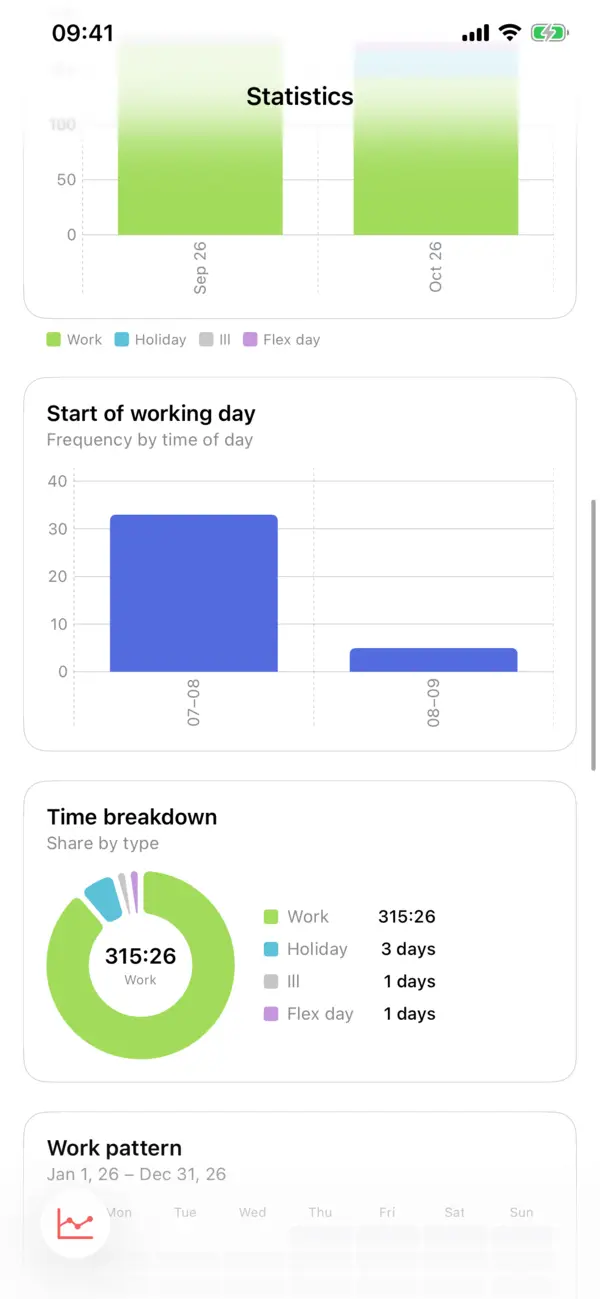
When do you start, which day is your longest, how is your flextime developing? Statistics show it per week, month, year or a custom period.
- Daily hours & weekdaysHours per day and average per weekday, with your target as a line.
- Flextime historyYour cumulative balance as a curve, with the total for the selected period.
- Monthly overview & heatmapWork and absence per month, the whole year as a calendar heatmap.
Vacation left and working hours law in view
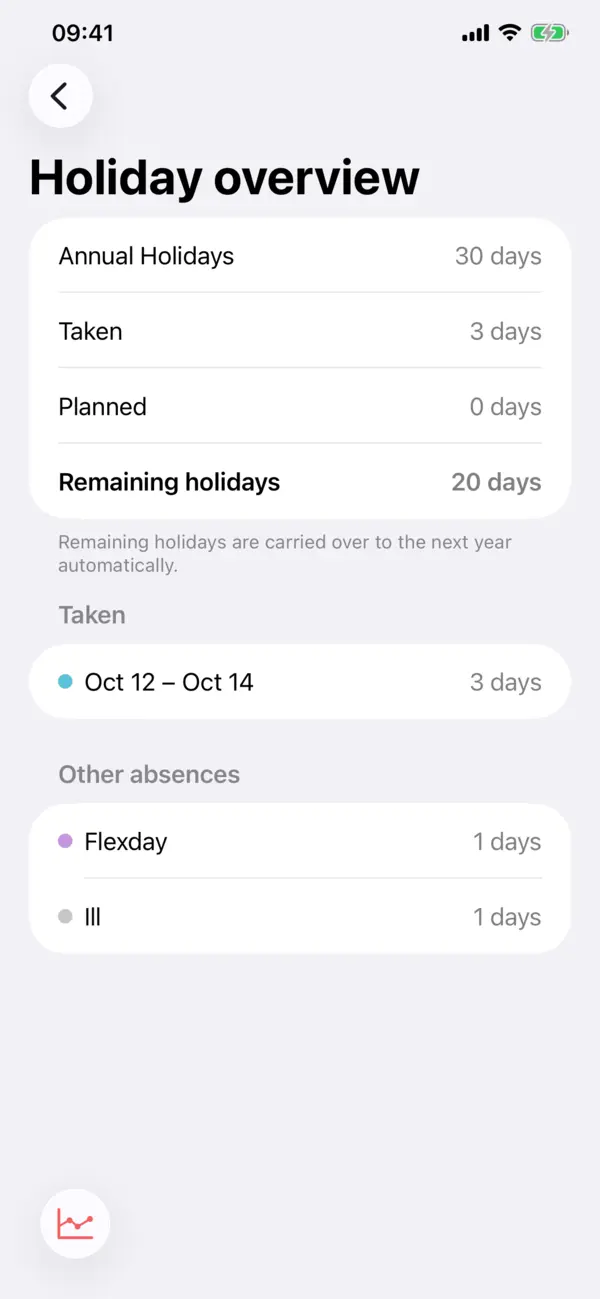
The vacation overview shows entitlement, days taken and days planned. The Working Hours Act check looks at every month for too long days, missing breaks and short rest periods.
- Vacation balance with carry-overDays left move into the new year automatically, vacation booked for next year is taken into account.
- §§ 3, 4 and 5 ArbZGMore than 10 hours, missing breaks, less than 11 hours of rest: Time Guard points it out.
- Public holidays, automaticallyStatutory holidays of your German state can be added automatically.
iPhone, iPad, Mac and iPhone Duo
On a large screen, ring, balance and buttons sit side by side. Through iCloud your times are the same on every device, without an account and without a server of ours.
- Sync through your iCloudEntries and settings sync through your private iCloud.
- Made for every sizePortrait and landscape, Split View, Mac windows and the unfolded iPhone Duo.
Clock in without opening the app
Apple Watch
Clock in and take breaks from your wrist, with Double Tap. Complications for end of day and hours worked.
Widgets & Live Activity
Home and Lock Screen, Dynamic Island and a Control Center toggle.
Siri & Shortcuts
“Clock in”, ask for your flextime or vacation balance, or add a vacation day.
Notifications
A reminder when your day is done and before you reach the maximum working time.
Calendar sync
Your working hours, automatically in a calendar of your choice if you like.
For other apps
Other apps can create entries via a link, for example the shift plan from Tf Pilot.
See Time Guard
Swipe sideways to browse.
Your hours belong to you
Time Guard has no user accounts, no ads and no tracking. The developer never sees your data.
- Only in your iCloudEntries and settings live on your devices and in your private iCloud. No server of ours.
- AI on deviceAI insights and timesheet scanning run on device with Apple Intelligence. Nothing leaves your iPhone.
- Location stays on deviceFor automatic clocking, iOS only checks whether you enter or leave your workplace. No movement history.
- Everything optionalLocation, calendar, notifications and holiday import stay off until you turn them on.
Get Time Guard
For iPhone, iPad, Mac and Apple Watch. In English and German.
Questions, ideas or found a bug? Write to me, I answer personally.